
Electric Screwdriver Procurement
Electric Screwdriver Kit for Document Camera Refurbishment
Electric screwdriver kit for document camera refurbishment RFQs should define device families, fastener stages, bit coverage, bench checks and pack-out.
Quick Answer
An electric screwdriver kit for document camera refurbishment RFQ should name the device families, authorized enclosure tasks, actual fasteners, access limits and manual-versus-powered stages. Ask suppliers to match working bits and the packed kit to a controlled bench trial. Preserve manual control for thread start and final seating where the device procedure requires it, and keep optical alignment, electrical safety and calibration outside unsupported tool claims.
Buyer Takeaways
- Describe document camera families and authorized enclosure tasks in the RFQ.
- Separate removal, thread start, powered movement and final seating.
- Approve working bits and accessories on representative bench units.
- Control the delivered case against the accepted sample record.
A useful refurbishment RFQ starts with the repair boundary
A school returns a document camera because its image freezes. That symptom alone does not justify opening the housing or ordering a powered driver. The fault may need a connection, software or manufacturer-support check before enclosure work is considered. ELMO’s education support information directs users through troubleshooting and repair guidance; use the actual manufacturer’s route and the depot’s authorised repair scope.
When housing work is authorised, purchasing needs a tool configuration that fits that task. A catalogue statement such as “electronics repair kit” is too broad to approve a fleet of different document-camera revisions. This RFQ turns the authorised housing work into questions a supplier can answer and the depot can verify. It does not claim ToolQeen tools are endorsed by a document-camera manufacturer.
Build the document camera refurbishment RFQ scope
List the document camera families, revisions and enclosure tasks included in the depot process. For each task, record the housing zone, fastener profile, access direction, nearby cable or optical assembly and the repair instruction that governs the work. An electric screwdriver kit for document camera refurbishment should be quoted against this map rather than a broad claim that it fits every visual presenter.
Identify excluded activities as well. Lens alignment, image calibration, energized diagnosis, hinge or arm adjustment and safety-related electrical work may need equipment-specific procedures and competent personnel. The tool RFQ should not convert a housing-fastener evaluation into approval for those separate operations.
Technical Explanation
Why powered movement and final seating need separate decisions
A powered driver can assist movement through an established thread without proving that it should start the thread or determine the final seat. Treating the stages separately keeps the tool choice tied to the repair instruction.
- Identify the fastening stage in every trial row.
- Confirm thread engagement before powered movement.
- Use the device procedure for final seating and inspection.
Separate the fastening stages before requesting a sample
Define removal, thread start, powered movement and final seating as separate stages. The depot may accept powered assistance for one stage while requiring manual control for another. Require the supplier sample to support the documented method instead of asking for a single universal setting.
The RFQ should identify the representative fasteners and access limits used for comparison. Confirm that each proposed bit seats fully, stays aligned and reaches the screw without loading a ribbon cable, connector, plastic boss or camera head. Stop the bench trial if the thread does not engage cleanly or if the tool cannot be controlled in the available space.
Compare samples with one bench acceptance record
Use representative service units or approved training housings and repeat the same sequence for each candidate kit. Record the device family, zone, fastener, bit, operating stage and visible result. Inspect recess condition, thread start, panel fit, adjacent surfaces and whether the technician can identify and return the working accessories.
A short controlled comparison is more useful than an unsupported productivity promise. It lets purchasing see whether the proposed handle, bits, charging items and storage arrangement support the depot's real workflow without inventing torque accuracy, runtime or device compatibility data.
Freeze quotation assumptions and receiving checks
The focused quotation should name the electric driver, working bit list, charging items, accessories, case layout, branding scope and approved document revision. Mark untested accessories clearly instead of presenting the total piece count as verified coverage.
Connect those fields to receiving inspection. Recheck affected stages after a change to the driver, bits, device family, fastener, housing, charging item, case insert, label or work instruction. This makes repeat orders comparable to the accepted bench sample and gives the depot a clear reason to reject an uncontrolled substitution.
Compare quote lines and bench results without hiding assumptions
Require each supplier to distinguish confirmed configuration from proposed alternatives. Put the driver revision, bit list, charging cable or adapter scope, case layout and replacement-bit ordering references beside the price. Ask for MOQ, sample charges, quotation currency, delivery term, lead-time assumptions and warranty terms as supplier responses; do not fill those fields with invented catalogue values.
If a supplier claims a torque setting, accuracy, runtime or charging time, ask for the method, test conditions and supporting document. A nominal setting is not proof of the assembled joint’s final condition. The depot’s authorised work instruction still governs reassembly, inspection and the functional release test.
For a productivity comparison, define the task start and end before timing. Record tool changes, rework and damaged fasteners as well as elapsed time. Compare like-for-like units and trained operators under the same process. Report only measured observations; one quick demonstration does not establish a depot-wide savings percentage. Keep all observations tied to the sampled device revisions.
Sources and scope
ELMO USA: K–12 document-camera support https://www.elmousa.com/k-12 Manufacturer guidance points schools to troubleshooting and repair support. It does not approve enclosure disassembly or any ToolQeen tool configuration.
Things Buyers Should Check
Things Buyers Should Check
- ✓Confirm the repair is authorised before testing enclosure tools.
- ✓Record removal and reassembly as separate trial stages.
- ✓Require a line-by-line configuration response beside the commercial quote.
- ✓Reject undocumented substitutions rather than accepting equal piece counts.
- ✓Keep joint inspection and functional device release within the depot procedure.
Practical tool
Copyable document-camera refurbishment tool RFQ
Replace each bracketed field. Keep unknown items as supplier questions and attach only service information you are permitted to share.
Project / RFQ revision: [reference]
Device manufacturer, family and hardware revision: [scope]
Authorised housing tasks / governing service document: [reference]
Excluded operations: [optics, calibration, electrical work or other scope]
Fastener map: [zone, profile, length, access direction, approved method]
Permitted stages: [removal / manual thread start / powered rundown / final seating]
Required driver and bit configuration: [requirements or sample proposal]
Charging supply scope and destination requirements: [supplier to clarify]
Case layout, labels and replacement-bit references: [requirements]
Sample quantity and acceptance record: [buyer-defined protocol]
Requested order quantity / MOQ / sample charges: [supplier response]
Currency, delivery term, lead-time assumptions and warranty: [supplier response]
Claimed technical parameters and test evidence: [supplier response]
Confirmed match vs proposed alternative: [identify separately]
Changes requiring written reapproval: [driver, bits, source, charging items, packaging]
Release decision: [pending bench approval and receiving standard]
Frequently Asked Questions
Frequently Asked Questions
Can one electric screwdriver setting serve every document camera?
No. Device families, housing zones, fasteners and service instructions differ, so validate each named stage and preserve the required manual controls.
What information should the document camera tool RFQ include?
Include device families, authorized tasks, fasteners, access limits, working bits, stage controls, charging items, case layout and receiving checks.
Should a depot start housing screws under power?
Use the device-specific approved method and confirm correct thread engagement before powered movement; retain manual control whenever the procedure requires it.
What should stop the sample trial?
Stop for poor seating, cross-threading, recess damage, housing stress, uncertain isolation, contact with nearby parts or a conflict with the repair instruction.
Does a larger accessory count prove better device coverage?
No. Approve the working accessories against named tasks and identify untested items separately.
When should the refurbishment kit be revalidated?
Repeat affected checks after changes to the tool, bits, device revision, fastener, housing, charging item, storage or work instruction.
Final Buyer Recommendation
Send a task-based RFQ and approve the sample only when its working accessories and stage controls match the depot record.
Related Products
Related Products
44-in-1 Electric Precision Screwdriver Set
Rechargeable precision system for smartphones, laptops, cameras and small electronics.
View product ↗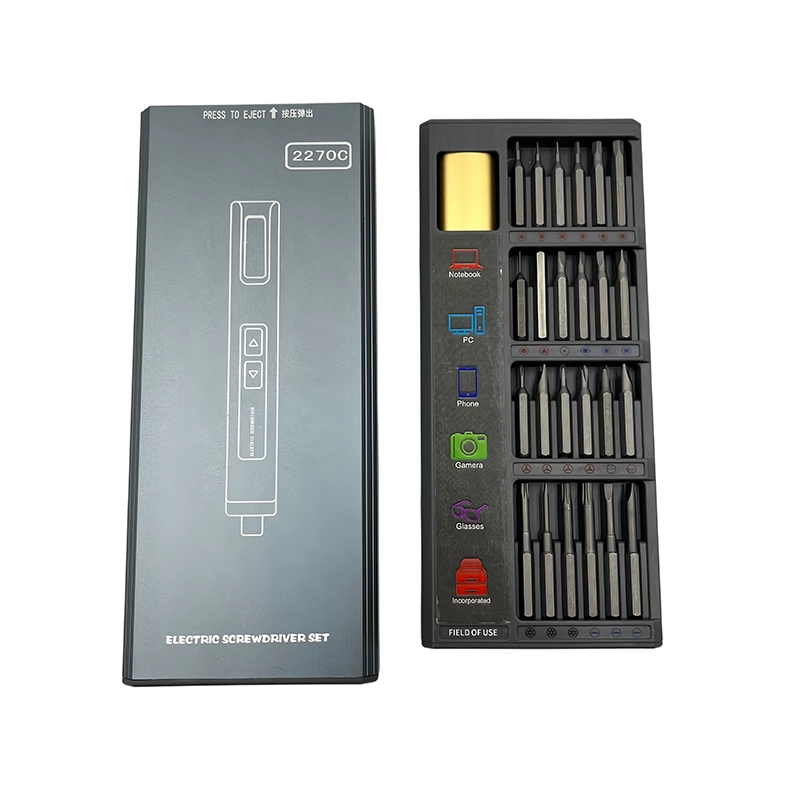
50-in-1 Electric Precision Screwdriver Set
Rechargeable precision system for smartphones, laptops, cameras and small electronics.
View product ↗