
OEM / ODM
Custom Electric Screwdriver Digital Display: OEM Spec Guide
Learn how to specify a custom electric screwdriver with digital display for OEM sourcing, including information hierarchy, display validation, language choices and sample approval steps.
Quick Answer
A custom electric screwdriver with digital display should be specified by the decisions the display needs to support: operating state, charging or battery indication, selected setting, alerts and any user-facing symbols. Buyers should first agree the information hierarchy and readability requirements, then validate the final screen behavior on an assembled sample before production approval.
Buyer Takeaways
- Write what the user must understand from the display before choosing its visual treatment.
- Use plain, consistent symbols that suit the target market and product instructions.
- Review the display together with the actual operating controls and charging behavior.
- Record the approved screen states as part of the configuration and sample file.
Define the job of a custom electric screwdriver with digital display
A display is useful only when it helps the user make a correct action. In an OEM brief, begin with the operating moments that matter: powering on, selecting a setting, recognising a charge condition and identifying an alert. Avoid treating the screen as a decorative panel independent of the control system. The product team should decide which information is essential for the intended use and what can be explained in the manual, on packaging or in a quick-start insert.
Prioritise legibility over density
Small tools have limited screen area. A short state label or clear icon can be more useful than a dense group of values that are hard to read during repair work.
Define the user context
A buyer should consider whether the tool is used at a bench, in a repair shop, in low light or in front of a camera for ecommerce demonstrations. The intended context informs the display review.
Write the display specification as states, not only artwork
A practical specification lists the states that a user can encounter and the response that appears on screen. Examples may include ready, operating direction, selected level, charging, low-power notice and fault or protection indication. The content team can then check spelling, symbols and language expectations, while the product team checks whether the display agrees with the switch positions and actual device behavior. This separation makes the approval more reliable than a single static mock-up.
Create a state review list
List each state, the trigger, the required label or icon and the expected user action. Keep versions controlled so sample feedback does not become informal verbal changes.
Align screen language with market materials
If the display uses words rather than icons, match terminology to the instruction manual and packaging. Translation should be reviewed for clarity, not only literal accuracy.
Validate the display on the assembled OEM sample
A static rendering cannot prove how a screen behaves in use. The buyer should review the requested states on a complete sample and check whether labels, brightness, timing and interactions are understandable in normal operation. The review should include charging and switching steps relevant to the intended configuration. Any approved changes need to be recorded as a versioned requirement before the bulk order moves forward.
Capture evidence during sample review
Short videos or dated photographs of the approved states can be more useful than a description alone when the buyer and supplier need a shared reference.
Do not assume a screen changes product performance
The display may show a selected setting, but the final technical performance should be assessed separately using the agreed product specifications and verification method.
Keep the digital display scope commercially clear
The buyer should ask which requested changes are a label, artwork, language or interface change and which require a different product configuration. This helps prevent a feature request from being described too broadly in a purchase order. The final RFQ should connect the display version to the model, accessory list, packaging version and any required documentation so that all customer-facing elements describe the same product.
Avoid late interface changes
Last-minute wording or graphic changes can affect review timing and make it difficult to keep samples, manuals and cartons aligned.
Use one approval owner
Assign one buyer-side owner to consolidate comments. This avoids contradictory directions from product, design and purchasing teams.
Things Buyers Should Check
Things Buyers Should Check
- ✓Required user states
- ✓Icons or language
- ✓Target-market wording
- ✓Control interaction
- ✓Charging and alert review
- ✓Sample evidence
- ✓Approved display version
Common Buyer Mistakes
Common Buyer Mistakes
Approving only a screen image
The buyer may not see how labels or icons behave during actual operation.
Review the defined screen states on an assembled sample.Using different wording across display and manual
Users can receive conflicting instructions.
Create one controlled terminology list for the screen, manual and packaging.Treating every visual request as a simple artwork change
The product scope and approval timing can become unclear.
Classify each request as artwork, language, interface behavior or a change to the underlying configuration.Frequently Asked Questions
Frequently Asked Questions
What should a digital screwdriver display show?
It should show only the operating information needed for the user’s decision, such as the current state, selected setting, charge condition or a clear alert.
Can a buyer customize the wording on a digital display?
That depends on the selected product configuration. Provide the requested languages and wording early so feasibility and review requirements can be confirmed.
How should I approve a screwdriver screen?
Review the defined operating states on a complete sample, then record the approved version with supporting photos or videos.
Does a digital display prove torque accuracy?
No. A display can communicate a setting or status, while torque performance needs its own agreed technical verification method.
What belongs in the OEM display brief?
Include user states, wording or icons, target markets, expected interactions, approval evidence and the final configuration version.
Final Buyer Recommendation
Specify a digital display by the information it must communicate, validate that behavior on an assembled sample, and keep the approved screen version linked to the complete OEM configuration.
Related Products
Related Products
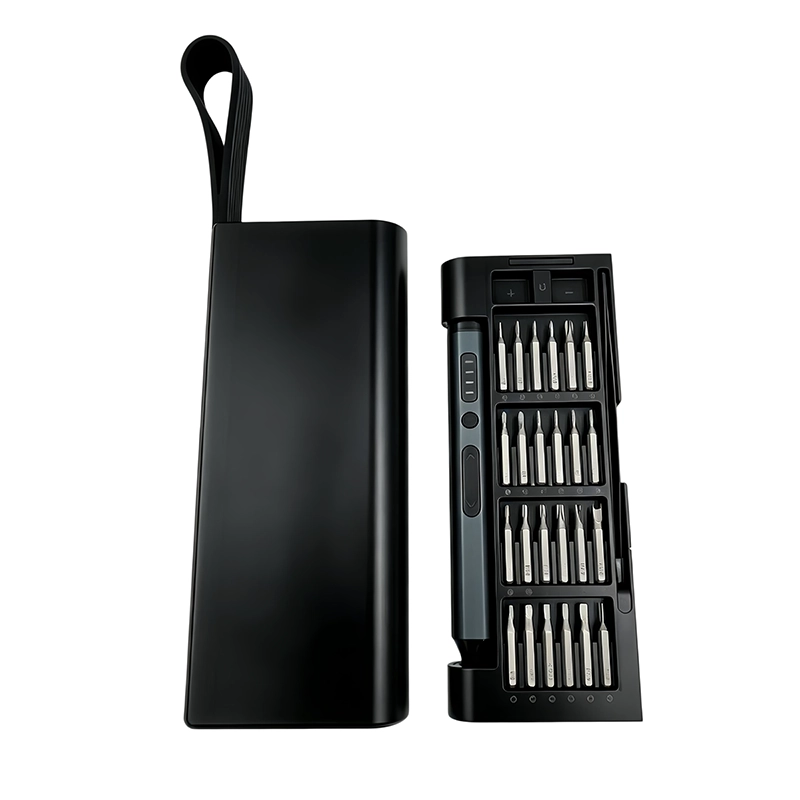
53-in-1 Electric Precision Screwdriver Set
Rechargeable precision system for smartphones, laptops, cameras and small electronics.
View product ↗67-in-1 Electric Precision Screwdriver Set
Rechargeable precision system for smartphones, laptops, cameras and small electronics.
View product ↗