
Manual and Ratchet Tool Buyer Guide
Parcel Locker Installation Screwdriver Kit Buyer Guide
Choose a parcel locker installation screwdriver kit by mapping cabinet access, working bits and crew needs. Use sample checks to control repeat orders.
Quick Answer
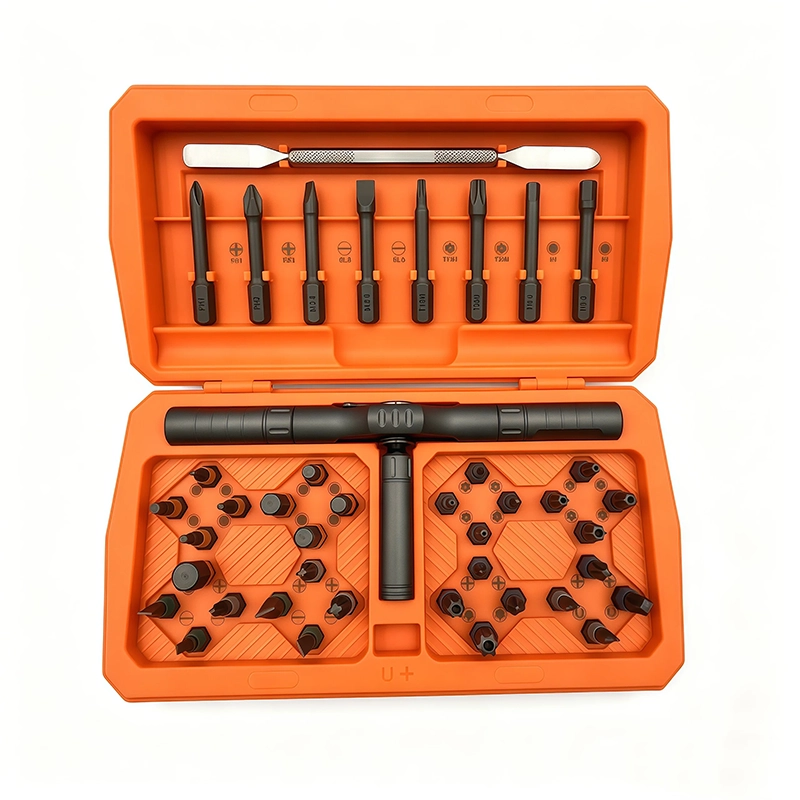
A parcel locker installation screwdriver kit should be selected from a task map, not from piece count alone. List the cabinet, door, trim and service-access fasteners the installer is authorized to handle; then check bit engagement, straight access, ratchet clearance, case retention and receiving controls on a representative locker assembly. Keep electrical connections, locking-system commissioning, anchoring and final tightening requirements within the locker maker's instructions and qualified installation process.
Buyer Takeaways
- Map authorized cabinet and service tasks before choosing the kit.
- Approve working bits and sockets on representative locker hardware.
- Check ratchet-handle clearance at corners, hinges and recessed fasteners.
- Freeze the accepted case layout and repeat-order inspection points.
Define the parcel locker installation tasks first
Start with the locker families, cabinet modules and named work stages covered by the installation contract. Separate cabinet joining, door adjustment, trim attachment and approved service-panel access from anchoring, electrical connection, network setup and locking-system commissioning. The parcel locker installation screwdriver kit should support the documented hand-tool scope without implying approval for every task on the unit.
Record the locker maker's instructions and the competent-person requirements that govern each stage. Where a final tightening value, anchor method or security procedure applies, keep that requirement in the installation document rather than inventing it from a screwdriver-set catalogue. This boundary gives buyers a fair basis for comparing kits and prevents a convenient tool from expanding the work scope.
Build a fastener and access map for representative lockers
Create one row for each included work zone: module or door, fastener profile, visible condition, access direction, recess depth and nearby surfaces. Use representative locker hardware or an approved training assembly to check that the bit seats fully and the selected handle stays aligned. Include corner joints, hinge-side locations and recessed service panels because a tool that works on an open bench may not clear the installed cabinet.
Separate essential working bits and sockets from spares and unrelated accessories. A ratchet head may help where continuous handle rotation is limited, while a straight manual handle may offer better alignment elsewhere. The useful kit is the controlled combination that covers the mapped tasks, not necessarily the case with the largest advertised count.
For example, create separate sample rows for an exposed cabinet joint and a hinge-side fixing inside a narrow compartment. The first may allow a full handle turn; the second may require a different grip or a shorter working arrangement. This is a proposed comparison, not a statement that a specific ToolQeen kit includes the required bit, reach or approved fixing method. Photograph the actual clearance with the tool seated, because a photograph of the empty compartment does not establish working space.
Technical Explanation
Why access geometry changes the useful handle choice
The correct bit profile does not guarantee a workable installation. Cabinet corners, hinge hardware and recessed panels can limit swing or prevent a handle from staying aligned.
- Name the locker zone before choosing the handle.
- Check full bit seating and tool alignment on representative hardware.
- Record when a ratchet, straight handle or adapter was used.
Buyer Comparison
Parcel locker kit comparison questions
| Decision | Check on the sample | Buyer record |
|---|---|---|
| Working coverage | Use only mapped fasteners and zones | Accepted bit and socket list |
| Handle choice | Check swing, alignment and control | Handle used by zone |
| Case control | Return every working item after the task | Approved layout and missing-item check |
| Repeat order | Compare delivered contents with the sample | Revision and substitution rule |
Compare kit samples with one repeatable field check
Run each candidate kit through the same named tasks on the same representative hardware. Record the handle, bit or socket, access position, engagement, operator control and visible fastener condition. Stop the check when the tool rocks, cams out, marks the recess, cannot remain aligned or conflicts with the locker maker's procedure. Do not treat one successful removal as proof that the tool is approved for installation or final seating.
Inspect the storage case after the exercise. Confirm that technicians can identify the working items, return them to fixed positions and notice a missing component. A sample comparison is incomplete when the packed quotation differs from the handle, adapter or working items used during the trial.
Choose a kit for the installation crew and its replenishment needs
Compare the kit as issued to a technician. Ask whether it can be carried to the work area, opened without scattering loose pieces, and checked before the installer moves to the next cabinet. A molded position can help identify an absent item, but the crew still needs a named working list; an empty space is not an inventory record. Keep restricted security bits under the project's authorized access procedure.
For repeat deployments, ask the supplier to quote replacement working bits and adapters separately from complete cases. Consider an application-specific core kit and a separately controlled specialist pack when some locker families need different fittings. That proposal can reduce ambiguity in the order without making a claim about cost savings. Compare the delivered configuration, spare-part availability and replenishment terms rather than assuming the lowest full-case price is the lowest operating cost.
Turn the approved sample into a receiving standard
The approval record should name the locker families, included work zones, accepted handle, working bit and socket list, adapters, case arrangement, exclusions and inspection method. Link those fields to the quotation and receiving check so a later substitution is evaluated instead of accepted because it looks similar.
Repeat affected checks after a change to the locker hardware, fastener, access geometry, handle, ratchet mechanism, bit, socket, adapter, case insert or installation instruction. This change-control step keeps repeat orders comparable to the sample that the buyer actually tested.
Sources and scope
ToolQeen quality and sample control https://www.toolqeen.com/quality First-party guidance on the accepted configuration and change control; not locker-specific test evidence.
Awaio manufacturer lock installation guide https://awaio.com/support/smart-lockers/manufacturer-lock-installation Example of a manufacturer separating lock fitting and pre-shipment testing from subsequent on-site setup.
Things Buyers Should Check
Things Buyers Should Check
- ✓List locker families and authorized installation stages.
- ✓Attach the fastener and access map to the inquiry.
- ✓Test the same tasks with every candidate kit.
- ✓Record exclusions for anchoring, electrical and locking-system work.
- ✓Freeze the approved contents and case layout.
Practical tool
Parcel locker crew kit inquiry
Use these fields to compare supplier responses against the same installation scope.
Locker families and cabinet revisions: [identify]
Authorized cabinet operations: [define]
Fastener profiles and installed access photographs: [attach]
Working handle, bit and adapter list: [approve after sample]
Security-bit issue and return procedure: [define]
Cases required per installation crew: [state]
Replacement working items and replenishment terms: [request separately]
Labels, insert layout and local-language instructions: [define]
Sample acceptance and substitution procedure: [attach]
Quantities, destination and required delivery window: [state; supplier to confirm]
Frequently Asked Questions
Frequently Asked Questions
Can a bit assortment replace the locker maker's fastening instructions?
No. Match the tools to the permitted operations and specified fixing method. A security profile or apparent physical fit does not grant authority to alter a lock or cabinet.
Should every installer receive the same kit?
Use a common kit only when it covers the documented locker families. Keep additional fittings in a separately identified pack when their use is limited to particular cabinet revisions.
How should replacement bits be ordered?
Use the accepted bit reference and interface, then request replacement availability and commercial terms separately. Do not accept an unnamed substitute on the basis of appearance.
What is the difference between physical lock installation and commissioning?
Physical fitting and system setup can be different work packages. For example, Awaio's manufacturer guide separates mounting and testing before shipment from later resource pairing and setup. Follow the actual locker supplier's process.
What should be recorded when a locker kit moves between installation partners?
Record the outgoing and incoming custodians, the reconciled working-item list, missing or damaged items and any restricted-access items. Separate transfer of the tools from authority to work on a locker, and use the project owner's handover procedure.
Final Buyer Recommendation
Select the kit that covers your named cabinet operations and can be issued, checked and replenished consistently. Send installed access photographs, the authorized fastener map and crew quantities with the inquiry; approve the actual sample before fixing the repeat-order configuration.
Related Products
Related Products
43-in-1 Ratchet Screwdriver Set
High-torque ratchet system for maintenance, assembly and confined-space work.
View product ↗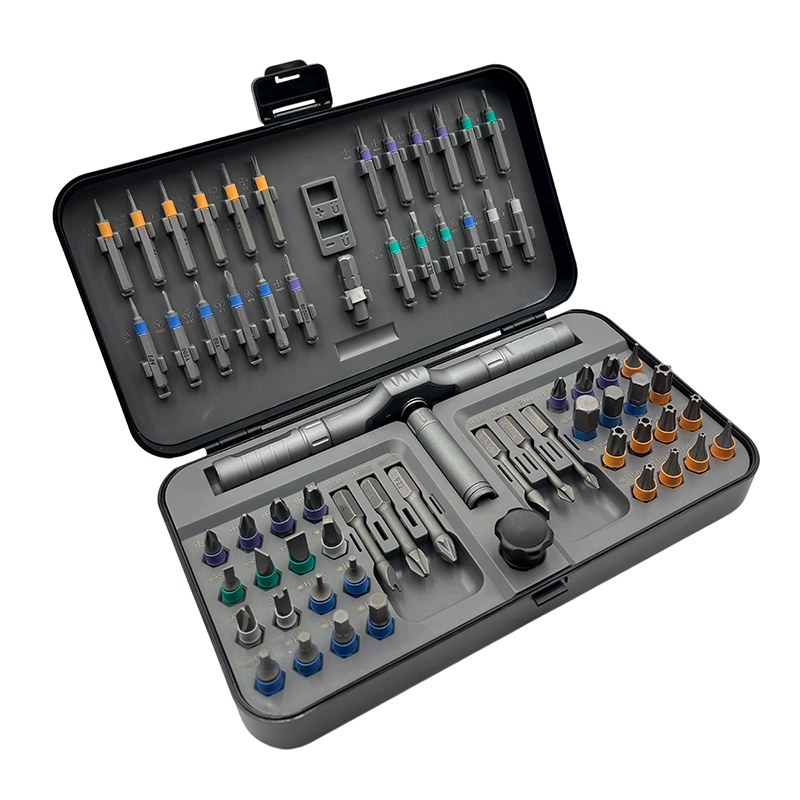
66-in-1 Ratchet Screwdriver Set
High-torque ratchet system for maintenance, assembly and confined-space work.
View product ↗