
Electric Screwdriver Procurement
Electric Screwdriver RFQ for USB-C Dock Refurbishment
Write an electric screwdriver RFQ for USB-C dock refurbishment with service limits, verified model data, sample acceptance and comparable commercial terms.
Quick Answer
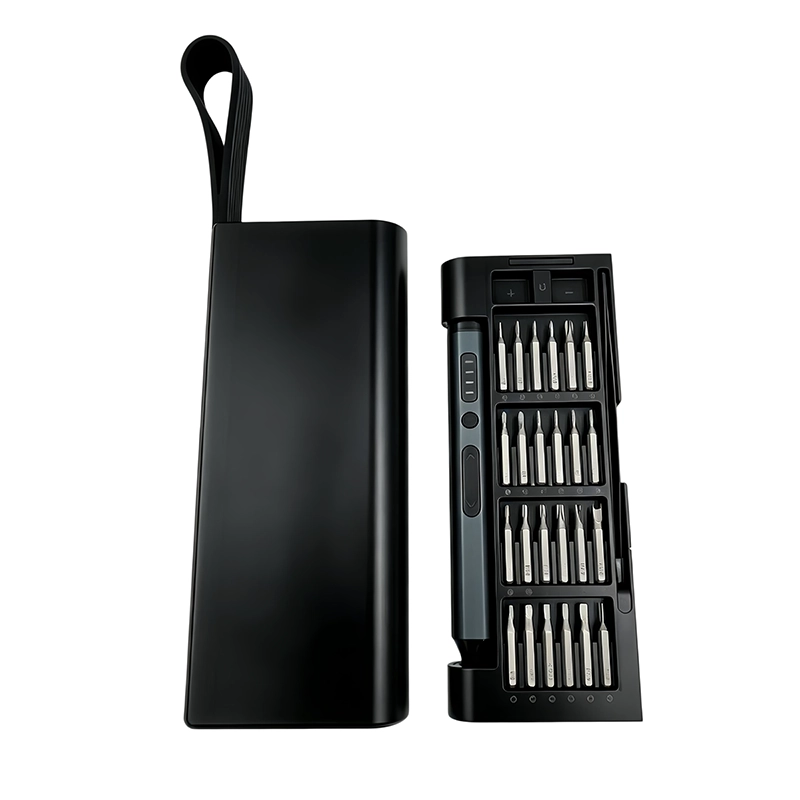
An electric screwdriver RFQ for USB-C dock refurbishment should identify the dock families, authorized enclosure tasks, actual fasteners, access limits and manual-versus-powered stages. Ask suppliers to match the working bits and packed kit to a controlled bench trial on representative units. Keep electrical diagnosis, connector repair, thermal work, functional testing and final fastening requirements within the dock maker's procedure and the depot's qualified process.
Buyer Takeaways
- Name dock families and authorized enclosure tasks in the RFQ.
- Separate removal, thread start, powered movement and final seating.
- Approve bits and accessories on representative bench units.
- Connect the accepted sample configuration to receiving inspection.
Scope the USB-C dock refurbishment RFQ
List the docking-station families, hardware revisions and enclosure tasks included in the depot process. For each task, record the panel or base zone, fastener profile, access direction, nearby connector or cable and the work instruction that governs disassembly and reassembly. An electric screwdriver RFQ for USB-C dock refurbishment should be quoted against this map rather than a general claim that one kit fits every dock.
State the exclusions as clearly as the included work. Energized diagnosis, connector rework, thermal-interface service, board repair and final functional verification require their own procedures and evidence. Disconnect and prepare equipment according to the manufacturer's instructions before enclosure work. The screwdriver comparison must not become approval for unrelated electrical or repair operations.
Use the dock maker's service information to distinguish supported module work from an assumed full teardown. Dell's WD19 guide, for example, documents removal of a USB Type-C cable module. That instruction is specific to the identified product and operation; it is not a generic enclosure-opening method for every USB-C dock.
Separate the fastening stages in the quotation
Create an RFQ stage matrix instead of requesting one operating mode for the whole job. Use separate rows for screw removal, initial hand engagement, powered travel through a known thread and the depot-approved seating step. The sample supplier should quote against those rows and state which ones rely on manual control; no catalogue setting should be treated as a default for every dock.
Add access photographs or sketches for the fasteners used in evaluation. During the trial, watch the bit-to-recess fit, tool axis and clearance around port shells, flex cables, connectors, board edges and plastic bosses. End that trial row if engagement is uncertain, the recess changes visibly or the technician cannot guide the driver without contacting adjacent parts.
Technical Explanation
Why powered movement and final seating are separate decisions
Powered movement through an established thread does not prove that the same tool should start the thread or determine the final seat.
- Identify the fastening stage in every bench row.
- Confirm clean thread engagement before powered movement.
- Use the dock procedure for final seating and inspection.
Read the listed screwdriver data without assuming a dock setting
ToolQeen lists a torque range of 0.05–0.35 N·m and a speed of 170 RPM for the 53-in-1 model. The 58-in-1 page lists 0.35 N·m as the maximum torque and also lists 170 RPM. These are model-specific catalogue values, not measured tightening results on a dock. A maximum rating on one model must not be rewritten as the adjustable range of another.
A torque range does not state the accuracy or repeatability at a selected setting. Ask what the value represents, under which test method it was measured and how the selected sample behaves during your defined fastening stage. If a dock procedure specifies final tightening, purchasing must preserve that requirement and obtain the corresponding method and evidence; it cannot derive a safe seating value from the tool's headline maximum.
Use one bench record to compare screwdriver samples
Give every sample attempt a dock-specific trace row. Capture the hardware revision, panel location, screw reference, selected bit, stage performed and outcome, then note panel closure and any contact marks. The bench operator should also demonstrate that the required bit can be found and restored to its labeled position before the candidate is accepted.
Compare candidates on that completed record, not on an estimated time-saving statement. Purchasing needs evidence that the handle, approved bits, charging components and storage arrangement support the documented enclosure task. Torque accuracy, battery duration and compatibility remain outside the conclusion unless the depot has separately defined and completed those measurements.
Specification Table
Published ToolQeen values for the RFQ shortlist
| Specification | Value | Buyer Impact |
|---|---|---|
| 53-in-1 listed torque range | 0.05–0.35 N·m | Catalogue range; confirm settings, measurement method and application acceptance separately. |
| 53-in-1 listed speed | 170 RPM | Does not establish removal time or throughput on a dock. |
| 58-in-1 listed maximum torque | 0.35 N·m | Maximum rating; do not infer the 53-in-1 adjustable range. |
| 58-in-1 listed speed | 170 RPM | Compare the actual working setup and manual controls, not this number alone. |
Freeze RFQ assumptions and repeat-order controls
Convert the accepted bench setup into a quotation schedule with line items for the driver, approved bits, charging components, support accessories, case insert, markings and document revision. Put optional or unevaluated pieces in a separate line so the headline quantity cannot be mistaken for confirmed dock coverage.
Use the same schedule at incoming inspection and assign a revision to it. A change to the driver platform, working bit, dock hardware, enclosure access, charger, insert, label or work instruction should trigger review of the affected sample rows. That link between schedule and evidence makes substitutions visible before they reach the repair bench.
Make commercial replies comparable before choosing a supplier
Specify whether the request is for a sample trial, a standard kit or a depot-branded configuration. Separate sample charges, tooling or artwork costs, recurring unit price, spare working bits, packing, freight and any supplier-defined exclusions. State the destination, intended order quantity, required instructions and delivery window. Request the quotation validity, delivery basis and production timing in writing; the article does not promise a price, minimum order or lead time for your configuration.
Ask the supplier to distinguish dispatch readiness from arrival at the depot. A delivery promise without an agreed freight scope leaves purchasing unable to compare offers fairly. Keep branding approval and acceptance of the working tool as separate sign-offs so a finished retail box cannot be mistaken for approval of a repair process.
Sources and scope
ToolQeen 53-in-1 product data https://www.toolqeen.com/products/electric-53-in-1 Model-specific published torque range and speed; no dock compatibility or torque accuracy is inferred.
ToolQeen 58-in-1 product data https://www.toolqeen.com/products/electric-58-in-1 Model-specific published maximum torque and speed; the maximum is not treated as an adjustable range.
ToolQeen Quality https://www.toolqeen.com/quality Sample approval and pre-shipment inspection are separate decisions.
Dell WD19 USB Type-C cable module removal https://www.dell.com/support/manuals/en-ed/dell-wd19-130w-dock/wd19_userguide/removing-the-usb-type-c-cable-module?guid=guid-35dfd10c-ff40-4ae1-9cec-d46540c32e92&lang=en-us An example of a manufacturer-defined service operation, not a generic teardown or ToolQeen tool approval.
Practical tool
Copyable USB-C dock tool RFQ fields
Replace every bracketed item with depot evidence before sending the inquiry.
Device families and revisions: [list]
Authorized enclosure tasks: [list]
Fastener map and access notes: [attach]
Required manual and powered stages: [define]
Working bit list: [to be confirmed by sample]
Charging items and case contents: [list]
Bench sample quantity and acceptance record: [define]
Branding and packaging scope: [define]
Receiving checks and substitution rule: [define]
Excluded electrical, connector and board work: [list]
Sample, standard-kit or customized quotation: [select]
Sample charge and any one-time development charges: [separate]
Recurring unit price, spares and packing: [itemize]
Destination, freight scope and delivery basis: [state]
Quote validity and proposed dispatch date: [supplier to confirm]
Depot acceptance owner and report revision: [identify]
Frequently Asked Questions
Frequently Asked Questions
Does a maximum torque rating tell the depot how tightly to seat a screw?
No. Use the dock-specific fastening requirement and an approved method. A catalogue maximum does not establish delivered torque, accuracy or safe seating on a particular joint.
Does the WD19 cable-module procedure authorize work on a different dock?
No. It describes a named Dell model and operation. Confirm the correct service documentation and authorized work scope for each device revision.
What should suppliers separate in the price?
Request separate sample and development charges, recurring kit price, spare working items, packing and freight scope. Confirm quantity, destination, quotation validity and proposed dispatch timing.
Which test belongs after reassembly?
Use the depot's defined functional acceptance procedure for the serviced unit. Successful fastening alone does not establish that ports, display output, charging or the repaired function work correctly.
How should charging equipment be specified for a depot tool rollout?
List the charging items supplied with the selected model and the depot's available power interfaces. Ask the supplier to confirm compatibility, replacement references and the documents applicable to the destination market; do not assume that a charging cable means a mains adapter is included.
Final Buyer Recommendation
Issue an RFQ that distinguishes the listed driver data, the approved fastening stages and the commercial scope. Compare sample evidence before selecting the kit, then preserve the same working configuration in the quotation, incoming inspection and depot instructions.
Related Products
Related Products
53-in-1 Electric Precision Screwdriver Set
Rechargeable precision system for smartphones, laptops, cameras and small electronics.
View product ↗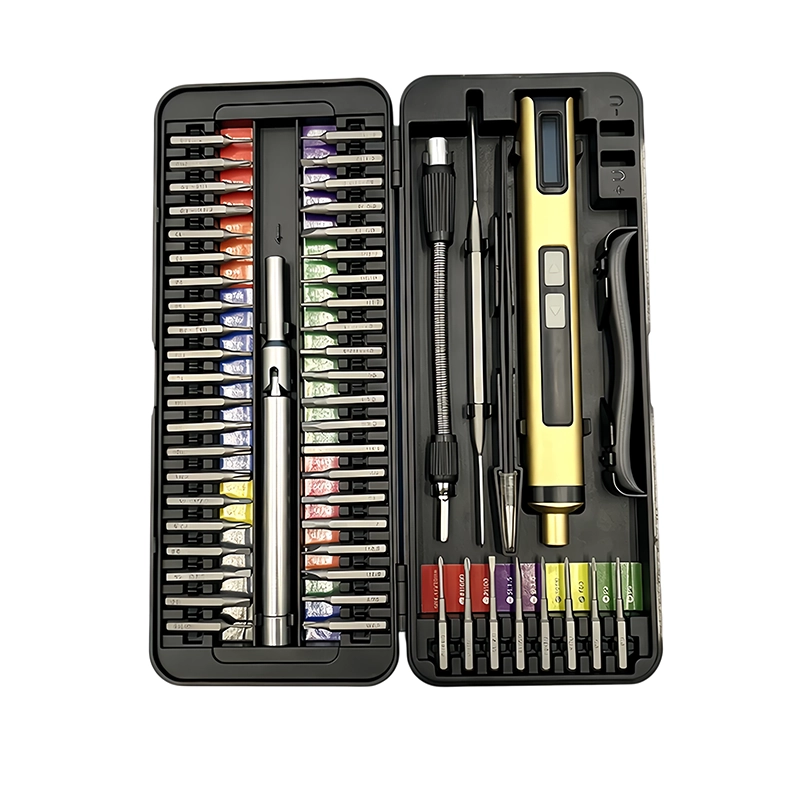
58-in-1 Electric Precision Screwdriver Set
Rechargeable precision system for smartphones, laptops, cameras and small electronics.
View product ↗