
Buyer Guide
Custom Bit Configuration Screwdriver Set: Buyer Brief Guide
A B2B guide to planning a custom bit configuration screwdriver set, from repair-use coverage and bit sizes to tray layout, packing lists and sample approval.
Quick Answer
A custom bit configuration screwdriver set should be built from the devices, fastener families and access limits the end user will face. Start with a repair matrix, choose the necessary bit profiles and sizes, then approve a line-by-line packing list. The advertised piece count matters less than whether the set provides usable coverage without unnecessary duplicates.
Buyer Takeaways
- List target devices and fastener types before selecting bits.
- Separate unique working bits from handles, accessories and duplicate pieces.
- Specify bit size systems and profiles clearly in the packing list.
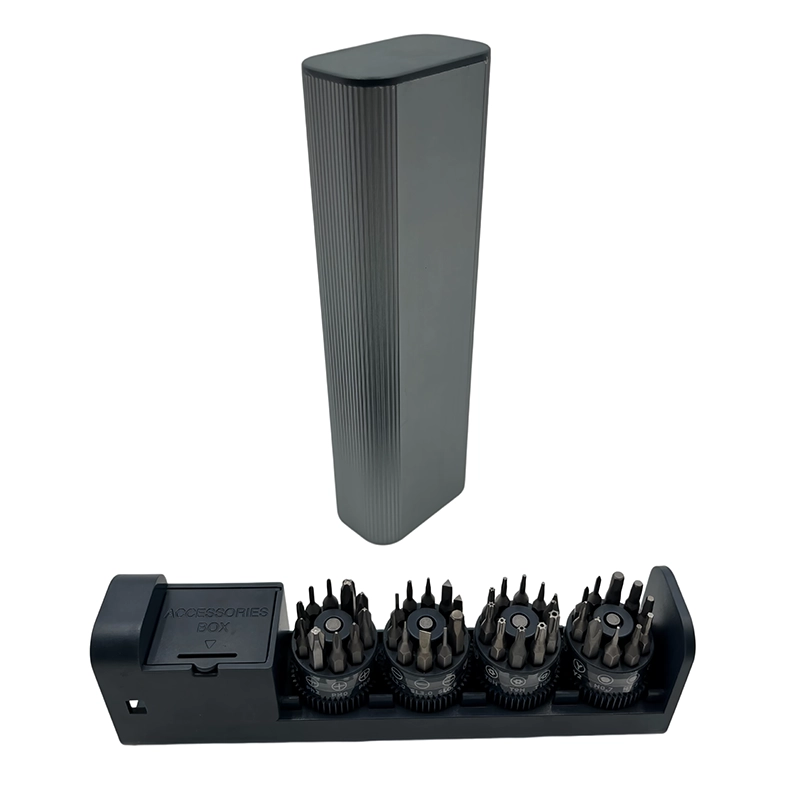
- Use a complete sample to verify tray fit, bit marking and real handling.
Build the custom bit configuration screwdriver set from real repair coverage
The fastest way to create a confusing repair kit is to begin with a headline piece count. Begin instead with the jobs the set must support: phone repair, laptop service, camera work, game console access, household electronics or another defined category. For each category, identify the likely fastener profiles, size range, recess depth and access constraints. This turns a broad request into a repeatable matrix that can be compared with an existing bit list or a proposed OEM configuration.
Identify the minimum usable profiles
The goal is not to include every possible profile. It is to cover the selected repair scope with bits that fit the expected fasteners and reach the required positions.
Keep application claims disciplined
A product page should not promise coverage for a device category unless the approved configuration has the relevant profiles and sizes. The packing list is the source of truth.
Specify bit profiles, sizes and materials in the packing list
A buyer’s packing list should name the bit profile and size line by line. It should also make clear whether bits use a 4 mm precision system, a 6.35 mm system or another defined format. If the brief includes material requirements such as S2 or CR-V, treat these as specifications to confirm for the selected bit group rather than as a generic marketing phrase. Practical fit, tip accuracy and repeatable marking are more useful to a buyer than an unexplained material label.
Separate profiles from accessories
Extensions, flexible shafts, tweezers, opening tools and magnetizers may be valuable, but they should not hide the number of unique working bit profiles in the set.
Decide where duplicates add value
Duplicates may be useful for high-wear profiles or for separate service teams. If they are included, show them as duplicates so the buyer can judge the functional coverage honestly.
Use tray layout and labels to make the configuration usable
A good configuration can still be frustrating if the bits are hard to identify, do not remain in position, or are grouped without a logical pattern. Review the tray arrangement, bit labels, handle compatibility and any extension or storage components on a physical sample. This is also the point to examine whether the case is appropriate for retail, field service or a bundled repair-kit program.
Check selection speed
Place frequently used profiles where technicians can find them quickly. A logical order by family and size can reduce selection errors during repeat repairs.
Check packing accuracy
The same list used for sales should be used for sample and bulk verification. That helps prevent a unit from being packed with a similar-looking but incorrect bit.
Approve the sample-to-bulk configuration before production
The approved sample should show the intended bits, the case or tray, the handle and all included accessories. Buyers should compare the list against the physical kit, check whether labels match the agreed names, and record any special quality checks. When mass production is discussed, the same configuration document should control the product, carton insert and ecommerce content. This reduces the risk that the name, image and actual kit describe different coverage.
Keep one source list
Avoid separate unofficial lists for design, purchasing and QC. One dated, line-by-line list gives each team a shared decision record.
Plan future revisions deliberately
If a market needs a different bit mix, name it as a separate configuration. Do not silently replace a profile in an existing SKU without updating the approval and sales information.
Things Buyers Should Check
Things Buyers Should Check
- ✓Target devices or repairs
- ✓Fastener profile matrix
- ✓Bit size system
- ✓Unique versus duplicate bits
- ✓Accessory list
- ✓Tray and marking review
- ✓Approved packing list
Common Buyer Mistakes
Common Buyer Mistakes
Selecting by piece count first
A large set can contain duplicates or accessories while missing a needed profile.
Start with device and fastener coverage, then calculate the necessary set size.Leaving bit sizes unspecified
The proposed set can look correct but fail to fit the intended fasteners.
Record profile and size for every working bit.Using one generic packing list for different markets
Customers may receive a configuration that does not match their repair scope.
Create separately named configurations when applications genuinely differ.Frequently Asked Questions
Frequently Asked Questions
How do I choose bits for a custom screwdriver set?
Start with the target devices and fastener families, then make a line-by-line matrix of the profiles, sizes and access requirements needed for those repairs.
Should a screwdriver set include duplicate bits?
Duplicates can be useful for wear-prone or frequently used profiles, but they should be declared separately from unique coverage in the packing list.
What is the difference between 4 mm and 6.35 mm bits?
They are different bit-size systems used for different tool formats. The chosen system must match the handle, extension and intended repair application.
How do I verify a bit configuration before a bulk order?
Compare a physical sample against the approved packing list, checking profile, size, marking, tray layout and the included accessories.
Can the same screwdriver case have different bit configurations?
Yes, but each variation should have a separate, clearly named packing list and approval record so the actual contents remain traceable.
Final Buyer Recommendation
Choose a custom bit configuration from a documented repair matrix, then use one approved packing list to control the sample, production checks and customer-facing product information.
Related Products
Related Products
44-in-1 Manual Precision Screwdriver Set
Manual precision repair kit for electronics maintenance, workshops and retail ranges.
View product ↗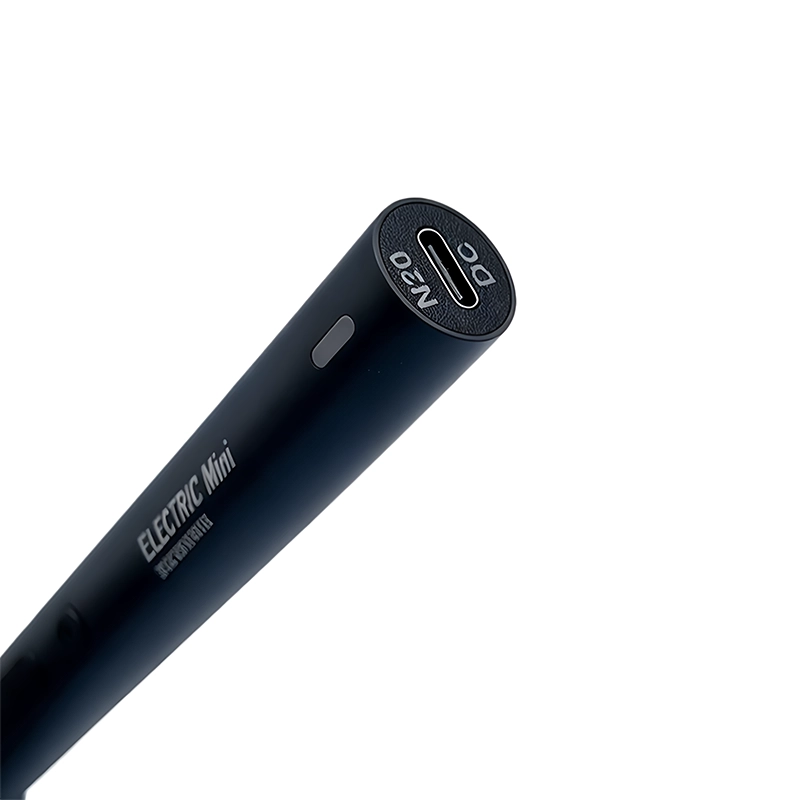
44-in-1 Electric Precision Screwdriver Set
Rechargeable precision system for smartphones, laptops, cameras and small electronics.
View product ↗